


In the modern world, our smartphones are our lifelines. They’re not just for calls and texts; they’re our cameras, our navigators, our mobile offices, and our main source of entertainment. But with all these demands, a common and frustrating problem arises: the dwindling battery. We’ve all experienced the panic of a low battery icon at the worst possible time. The good news is that you don’t have to be a tech expert to take control of your phone’s power. By understanding the core principles of battery health and implementing a few key strategies, you can significantly extend your device’s lifespan and ensure it’s ready when you need it most. This comprehensive guide will take you on an in-depth journey to unlock maximum phone battery life, from demystifying battery chemistry to providing a clear, actionable roadmap for optimizing your device’s settings and charging habits. By the end of this article, you will have the knowledge to transform your phone from a constant concern into a reliable, all-day companion.
The Science of Your Phone’s Battery
Before we dive into optimization, it’s crucial to understand the technology that powers our devices. Most modern smartphones use a lithium-ion (Li-ion) battery. These batteries are powerful and lightweight, but they have a finite lifespan that is measured in charge cycles. A single charge cycle is the process of charging a battery from 0% to 100% and then discharging it back to 0%. The more you use your phone, the more charge cycles you use, and the faster the battery’s overall capacity will degrade. The goal of optimization is not just to make your battery last longer in a single day, but to make it last longer over the course of its life.
A. The Enemies of Your Battery
The two biggest enemies of a lithium-ion battery are extreme heat and a constant cycle of deep discharging and full charging.
- Extreme Temperatures: Lithium-ion batteries perform best at room temperature. Exposing them to extreme heat—like leaving your phone in a hot car or in direct sunlight—can cause irreversible damage and accelerate battery degradation. Conversely, extreme cold can also temporarily reduce battery performance.
- Full Charging and Discharging Cycles: Constantly charging your phone from 0% to 100% and then letting it drain completely puts unnecessary stress on the battery. This wears out the battery cells faster than a more measured approach. The ideal range for a lithium-ion battery is to keep it between 20% and 80%.
B. The Difference Between Capacity and Life
It’s important to differentiate between your battery’s current life (how long it lasts on a single charge) and its overall capacity (its total ability to hold a charge over time). A new phone might have a total capacity of 100%. After a year or two of use, that capacity might drop to 90%, meaning it can only hold 90% of the charge it once could. Our goal is to both maximize the current life of the battery and slow the decline of its overall capacity.
The Digital Control Panel
Your phone’s operating system (iOS or Android) gives you a powerful set of tools to control how your device uses power. Optimizing these settings is the easiest and most impactful way to boost your battery life.
A. Taming Your Screen
The screen is, by far, the biggest consumer of your phone’s battery.
- Lower Screen Brightness: This is the most effective change you can make. Use the auto-brightness feature, which automatically adjusts the screen’s brightness based on ambient light. When auto-brightness isn’t enough, manually lower the brightness to a level that is comfortable but not excessively bright.
- Shorter Screen Timeout: Set your phone to turn off after a shorter period of inactivity, such as 30 seconds. This prevents your screen from staying on unnecessarily and wasting power.
- Use Dark Mode: If your phone has an OLED or AMOLED screen (found on most flagship phones from Samsung and Apple), using dark mode can significantly save battery. These screens turn off individual pixels to display black, meaning no power is consumed for those black areas.
B. The Background Battery Drain
Many apps continue to run in the background, even when you’re not actively using them. This allows them to refresh content and send notifications, but it also consumes a significant amount of power.
- Review Battery Usage Stats: Both Android and iOS provide a detailed breakdown of which apps are using the most battery. Go to your phone’s battery settings and look for this list. This can be a shocking but necessary wake-up call to identify the biggest power hogs.
- Restrict Background App Refresh: For apps you don’t need to be constantly running in the background, turn off the “Background App Refresh” feature. This is particularly useful for social media apps and other services that constantly update their feed.
- Manage Notifications: Every notification you receive lights up your screen and uses power. Go into your settings and turn off notifications for any app that doesn’t need to alert you constantly.
C. Connectivity and Location Services
Wi-Fi, Bluetooth, and GPS are incredibly useful, but they all consume power.
- Turn Off What You Don’t Need: When you’re not using them, turn off Wi-Fi and Bluetooth. While modern phones are smart about managing these connections, turning them off manually can still save a noticeable amount of battery, especially in areas with a weak signal.
- Be Smart with GPS: GPS is a major power drain. Only enable location services for apps that genuinely need them, like maps and ride-sharing services. For other apps, you can restrict their ability to track your location in your phone’s settings.
The Art of Charging Your Phone
How you charge your phone is just as important as how you use it. Adopting smart charging habits can significantly extend your battery’s lifespan.
A. The “Sweet Spot” for Charging
As mentioned earlier, constantly charging from 0% to 100% and then letting your phone die puts stress on the battery.
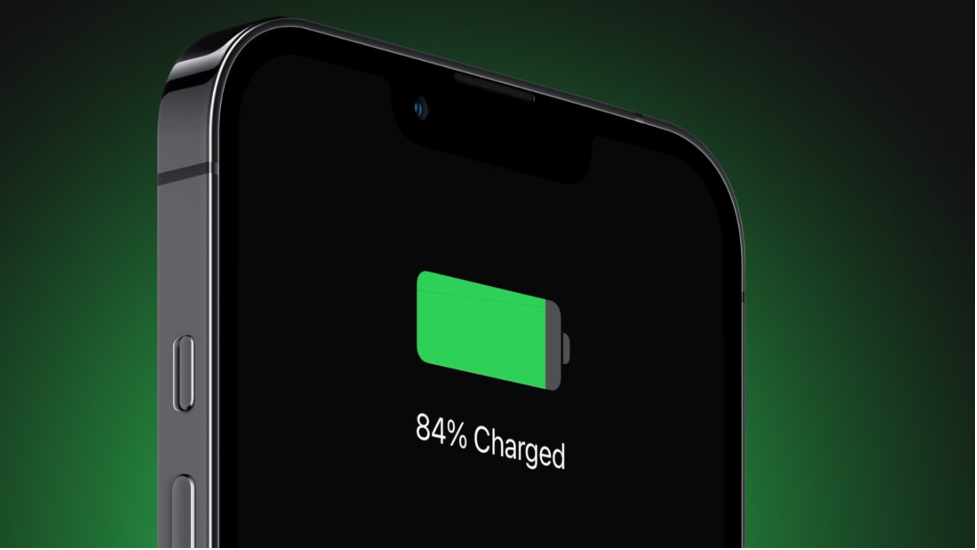
- Keep it Between 20% and 80%: The ideal charging habit is to keep your battery level within this range. This reduces the stress on the battery and helps it last longer over the course of its life. For example, instead of charging your phone overnight, give it a quick boost during the day when it’s between 30% and 40%.
- Avoid Fast Charging When Possible: While fast charging is incredibly convenient, it can generate heat, which is a major enemy of batteries. For overnight charging, consider using a standard charger or a wireless charging pad, which often charges at a slower, more battery-friendly rate.
B. Smart Charging Features
Many modern phones have built-in features to help you manage your battery health.
- Optimized Battery Charging: On iOS, this feature learns your charging habits and slows the charging speed when your phone reaches 80% and finishes charging just before you wake up. This prevents the battery from sitting at 100% for a long period, which can be damaging.
- Adaptive Charging: Android phones have a similar feature called “Adaptive Charging,” which also slows the charging speed to reduce wear and tear on the battery. Make sure this feature is enabled in your phone’s settings.
Advanced Tips for Maximum Battery
For those who want to squeeze every last drop of performance out of their battery, these advanced tips can help.
A. Use an Alarm Clock
A simple but powerful tip is to stop using your phone as an alarm clock. This allows you to keep your phone out of the bedroom, which can not only prevent you from using it before bed but also dramatically improve your sleep hygiene.
B. Check for App Updates
App developers regularly release updates that improve performance and reduce power consumption. Make sure your apps are always up to date.
C. The Power of a Fresh Start
If you’ve tried everything and your battery life is still terrible, a factory reset can sometimes help. Back up your data and perform a factory reset, then selectively re-install your apps. This can get rid of any software bugs or hidden processes that are draining your battery.
Conclusion
A well-optimized smartphone battery is a game-changer for your productivity and peace of mind. It means you can go on a long trip without a constant search for an outlet, take all the photos you want, and navigate to your destination with confidence. This guide has provided you with the foundational knowledge and practical tools to achieve just that. By understanding the science of your battery, you can move beyond simple fixes and adopt a strategic approach to its health and longevity. The journey to better battery life begins with small, consistent changes: taming your screen’s brightness, managing background apps, and adopting smart charging habits.
Remember that the ultimate goal is not to live in fear of your phone’s battery but to use it as a tool that supports your life, rather than controls it. The principles of digital wellness—mindful use and intentionality—are a powerful companion to these technical tips. By taking control of your device’s power, you are also reclaiming your time and focus. The phone in your hand has immense potential, and with this guide, you now have the knowledge to unlock every last bit of it. The path to a better mobile experience is just a few settings changes and good habits away.








Discussion about this post